Remake
A reimplemented edition of eDiAna: the research data unchanged, the software written anew. The project itself is described in its original wording under About the Project.
- 3,799
- Articles carried over
- 942
- Corpus texts
- 38,077
- Word tokens
- 5,015
- Bibliographic titles
eDiAna was originally implemented as a PHP application on a MySQL database and published in that form. The present edition is a reimplementation: the research data has been carried over in full and remains unaltered, whereas the software surrounding it has been written anew. The description of the research project itself is retained in its original wording under About the Project.
Architecture
Every layer of the application has been replaced. In each of the following comparisons the component of the original edition is given first, that of the present edition beneath it.
Bootstrap 5, jQuery
Nuxt 4, Vue 3, Tailwind CSS 4, server-side rendered
PHP 7
FastAPI, SQLAlchemy 2 (asynchronous), Python 3.13
MySQL
PostgreSQL 17
Each layer runs in a container of its own, so that the entire application can be reconstructed from source with a single command.

WordPress with the Advanced Custom Fields plugin
Not yet reimplemented. The articles were composed in a WordPress installation whose fields were defined by means of the Advanced Custom Fields plugin, and from there the material was transferred into the tables that the present edition reads. The editorial back office, comprising WP-Converter, Excerpt+, Literature+ and Corpus+, is reserved for a second stage.
Authorship
The present edition rests entirely upon the original project. The research data, the editorial conventions and the wording of every article are the work of the eDiAna team; none of this has been rewritten. The identifiers of lemmata and of bibliographic titles have been carried over unchanged, so that existing permalinks and citations remain valid. What has been reimplemented is the software surrounding that material, namely the data model, the migration, the backend and the interface. This work was carried out by Dr. Markus Frank with Claude Opus 5 at the LMU Center for Digital Humanities.
Not all that the original project has left behind is sound. Faults are present both in the research data and in the components that surrounded them, and a portion of these admits of correction without any alteration to the material: a reference resolved against the wrong key, a classification distributed over spellings that denote one and the same thing, a link that no longer reaches its destination. Where a fault is of that kind, it is corrected here.
Every such correction is recorded in the , which also opens from the version number at the foot of this page, and is marked there as [heal]. The mark is to be read strictly: the correction resides in this overlay and nowhere else. The research data remain as the eDiAna team recorded them; no value has been rewritten, no classification consolidated in the tables, no identifier reassigned. What has changed is the manner in which the material is read and presented. An edition that reads the same holdings hereafter will find them unaltered.
Search
The original edition offered five points of access to the dictionary: the identifier of a lemma, a prompted headword, a list arranged by language, specific word forms, and full text. All five have been retained. What has changed is the manner in which a query is matched against the holdings and the order in which the results are returned.
-
Transliteration is normalised
The original edition matched search terms as substrings, so that a form had to be entered exactly as it had been recorded, diacritics included, or it was not found at all. Query and holdings are now normalised on both sides before they are compared:
Typed Matches Why hattusili ḫattušili diacritics are folded [ta]-ba-ti ta-ba-ti editorial brackets are ignored ḪA₂-tar HA2-tar, not ḪA₃-tar index digits are kept apart To fold the index digits along with the diacritics would have been simpler, but it would have conflated signs that are philologically distinct. They are therefore mapped to plain digits rather than discarded.
-
Exact matches come first
A substring match admits no distinction between a better and a worse hit: every record containing the query is returned, in whatever order the database happens to produce. Matches are now graded in three steps, literal before normalised and normalised before approximate, and every result carries its score, colour-banded so that strong hits are recognisable at a glance. A query such as a[- in the corpus consequently yields the literal form at the head of the list rather than somewhere among the approximate matches.
-
Word stems are not applied
Full-text search employs a text search configuration devised for this material. The configurations supplied by default reduce words to English stems, a procedure that silently destroys philological forms; the present one performs no stemming whatever. Where a search term is close to a form without being identical with it, an approximate match takes its place.
-
Beyond the headword
Every field of a lemma is open to search, not the headword alone: the translation, the grammatical information, the language of the section, the identifier of the article, the author of the entry and the year of publication and revision. In the corpus the six levels of annotation, namely lemma, syllabic string, logogram, translation, morphological analysis and part of speech, may be searched individually or together.
-
One query across the corpora
The original edition searched each of the eight corpora separately. A single query now covers all of them and returns the hits in keyword-in-context form, each accompanied by the proportion of the entire text that carries glosses. That figure is of consequence in judging whether a passage repays consultation.
-
Characters the keyboard does not provide
Gloss wedges, index digits and the philological special characters may be entered from a virtual keyboard adjoining every search field, without the installation of a keyboard layout.
-
Results that can be cited
Search results are rendered on the server and carry their query in the address, so that a result may be cited in a footnote and indexed by search engines.
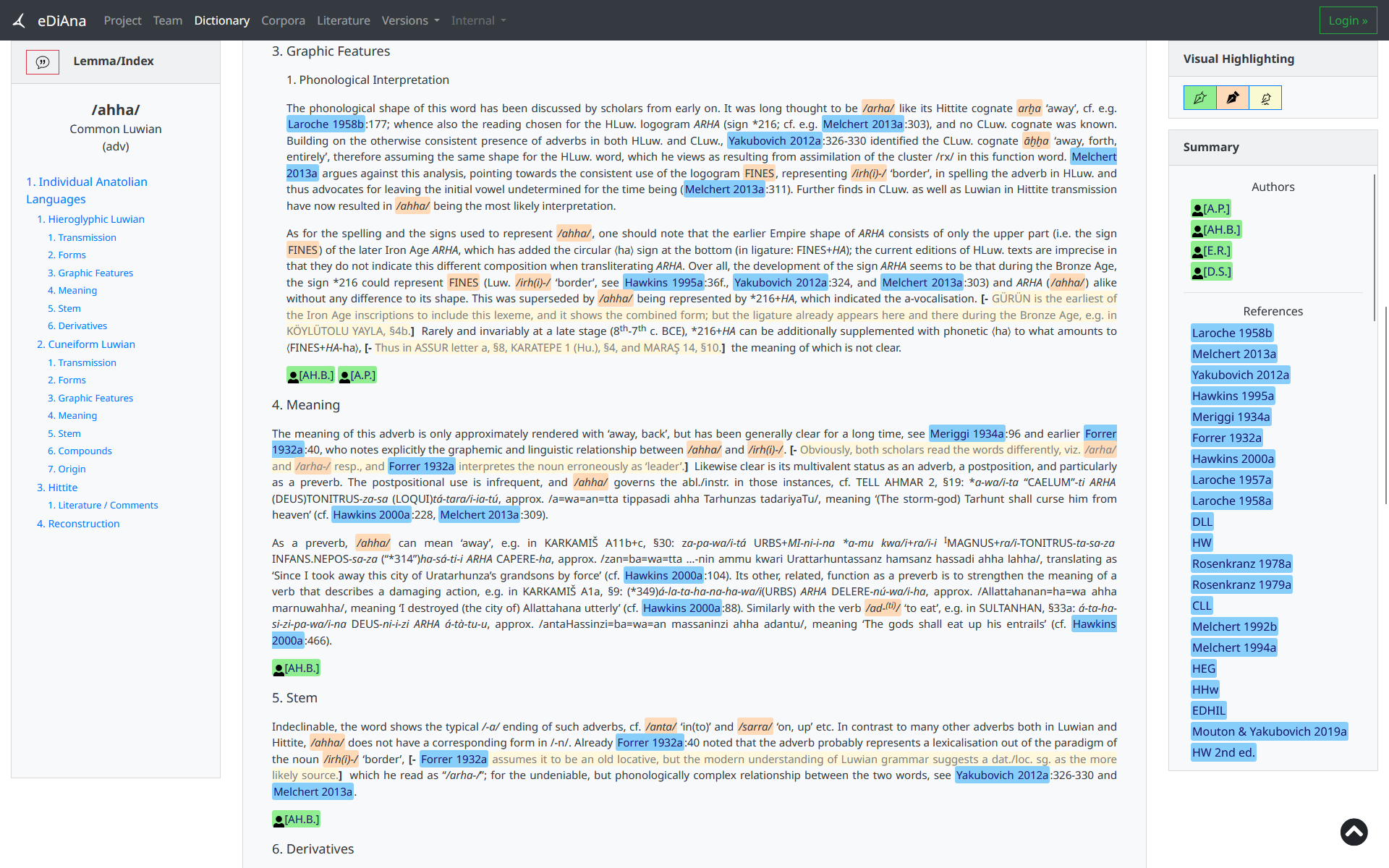
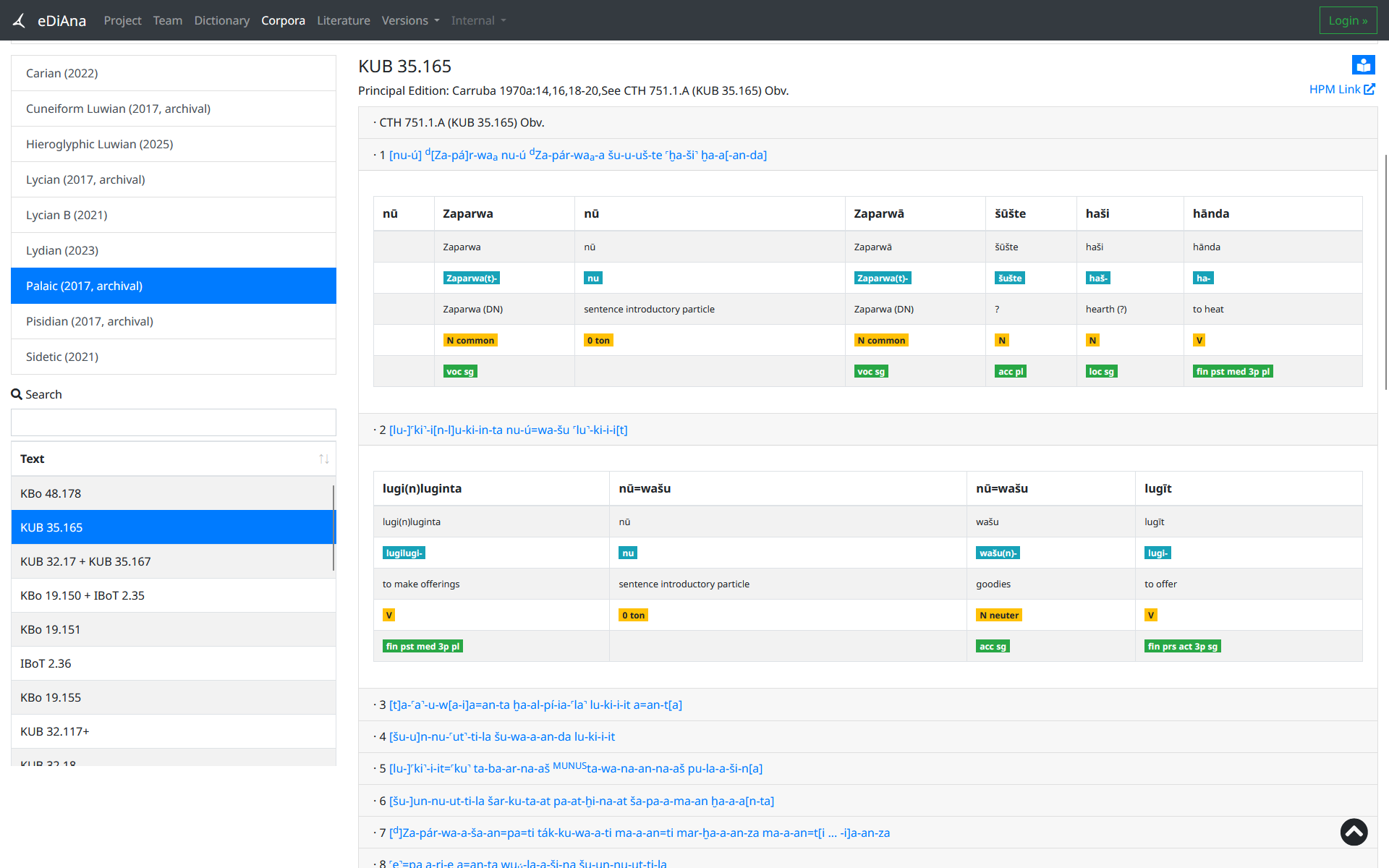
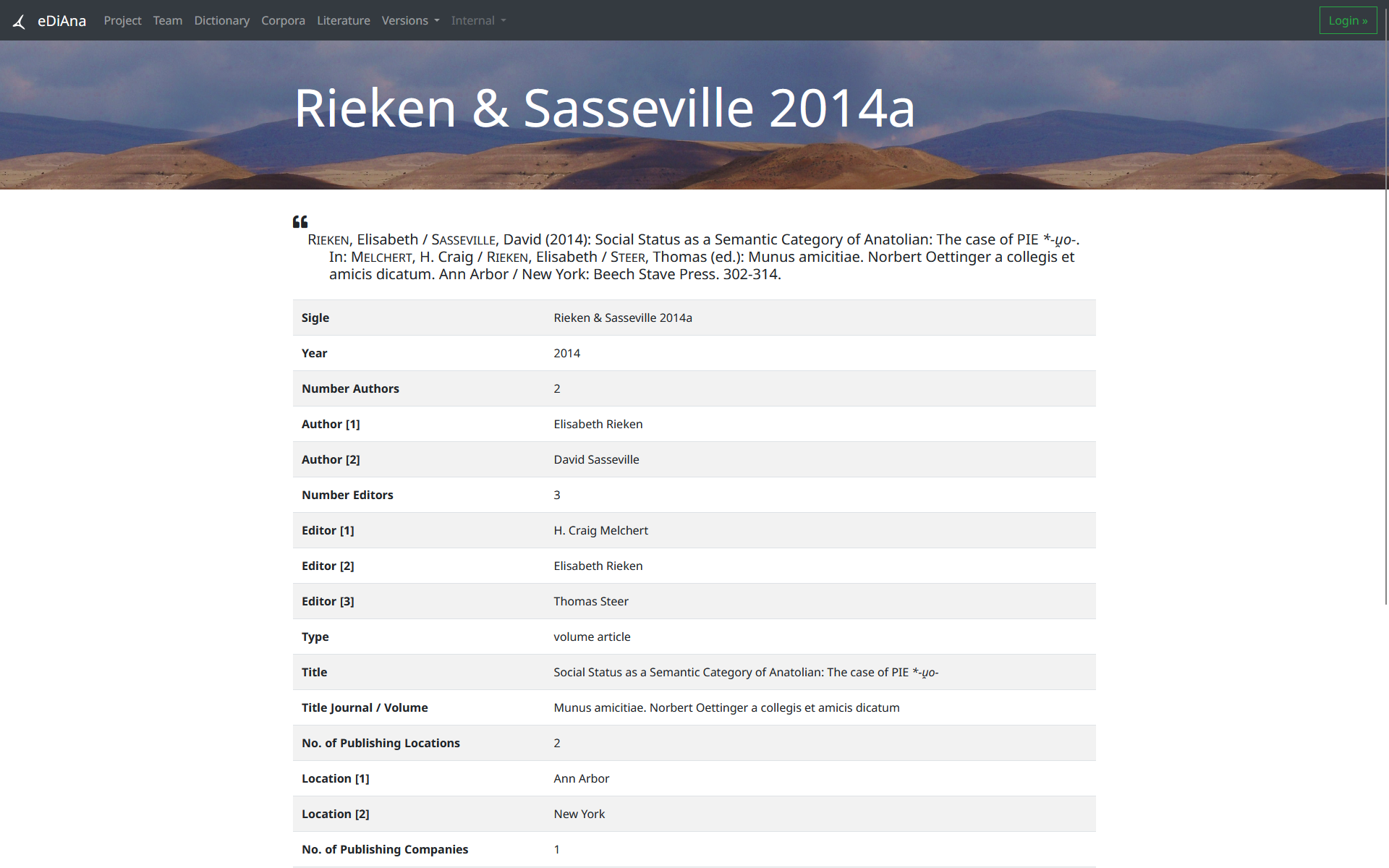
The original interface
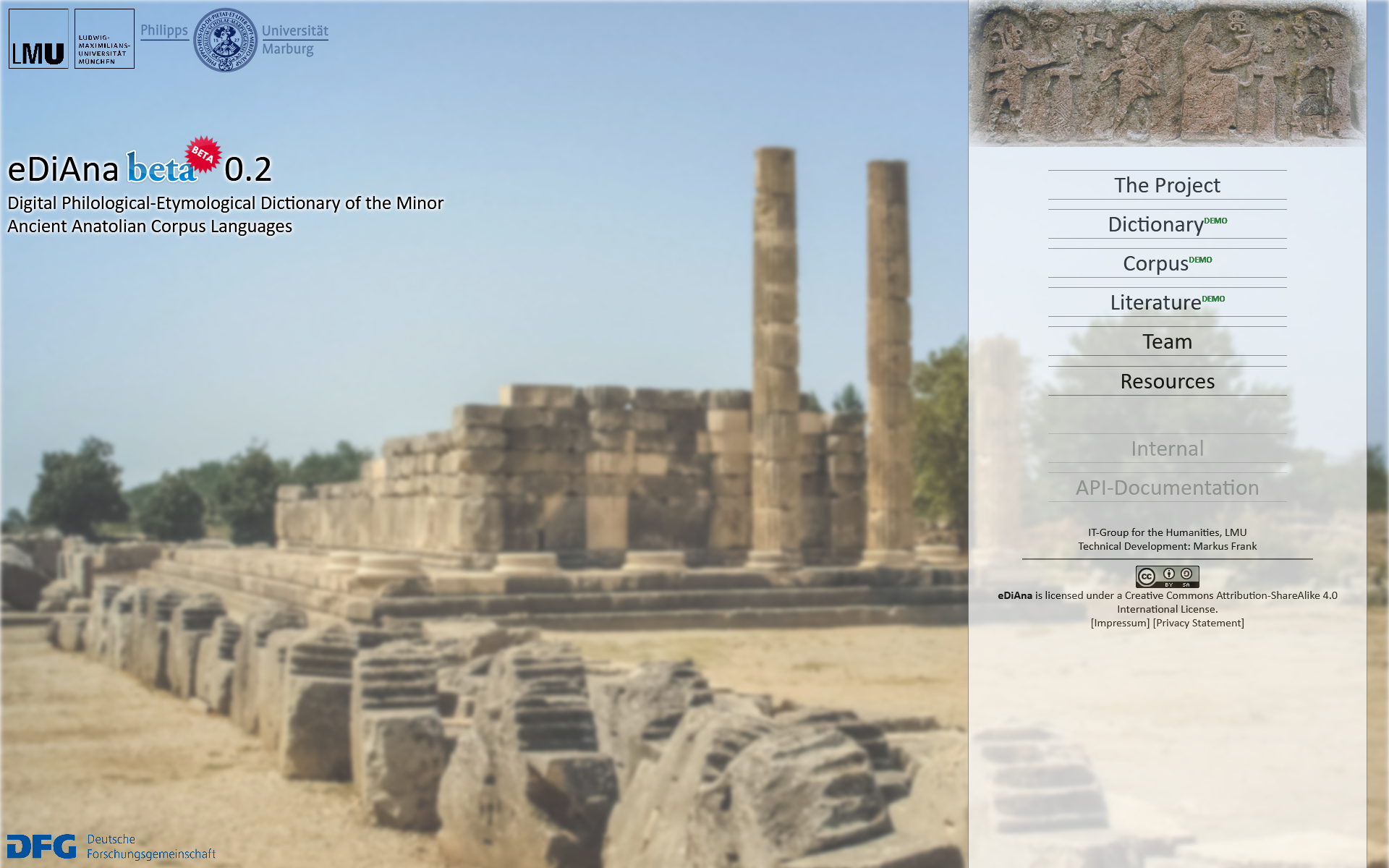
The site that the present edition replaces was itself built twice. Select an image to enlarge it.
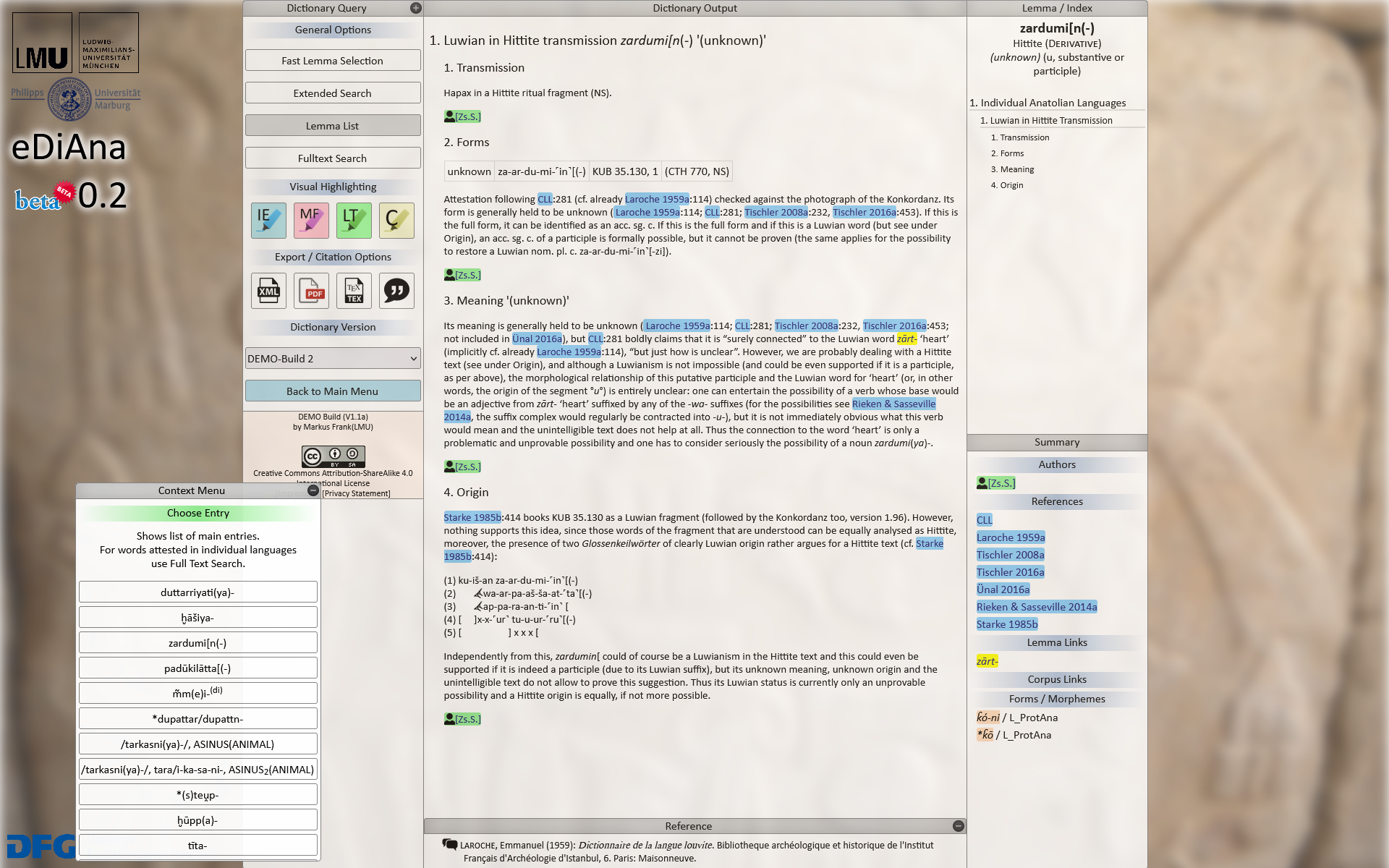
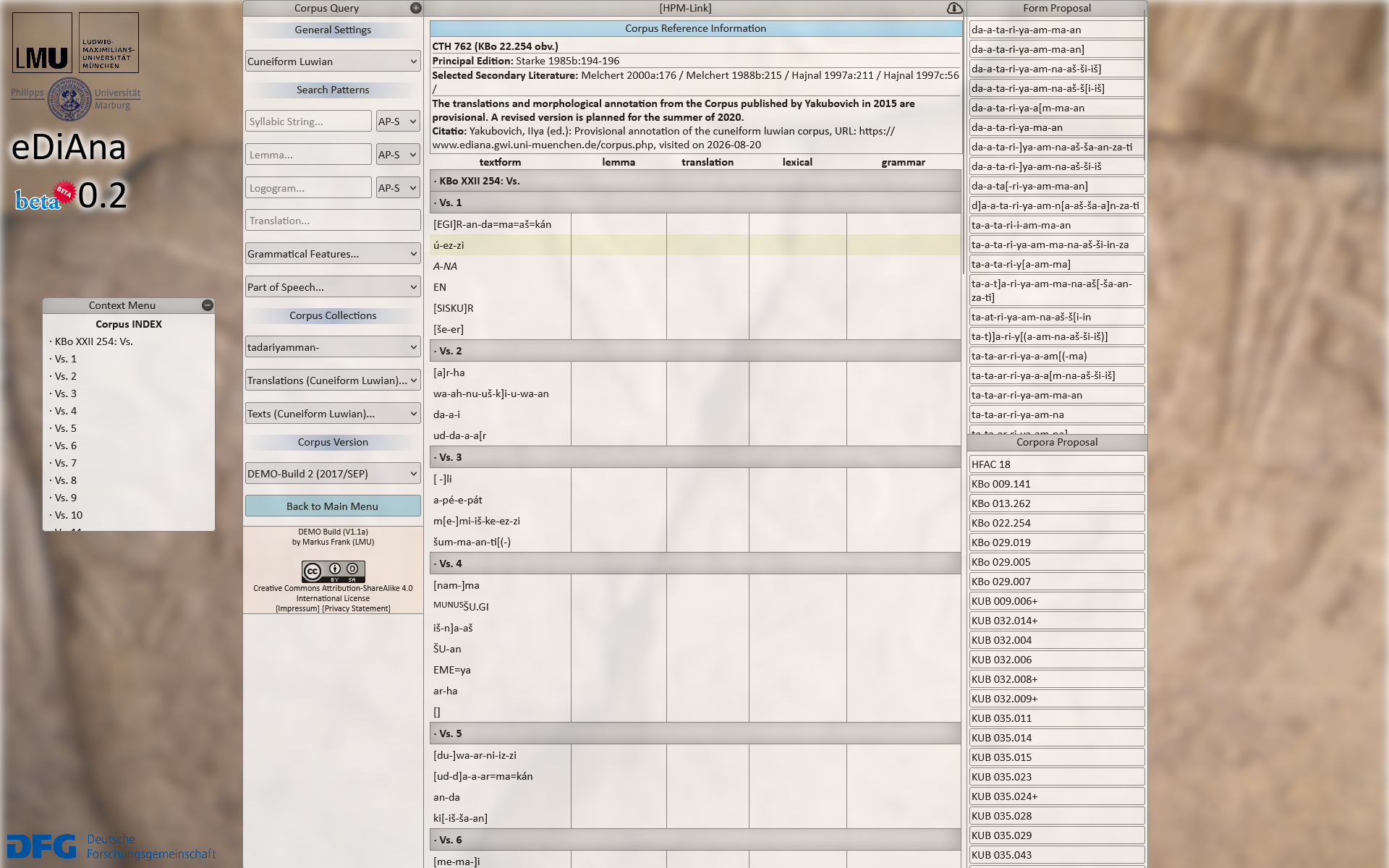
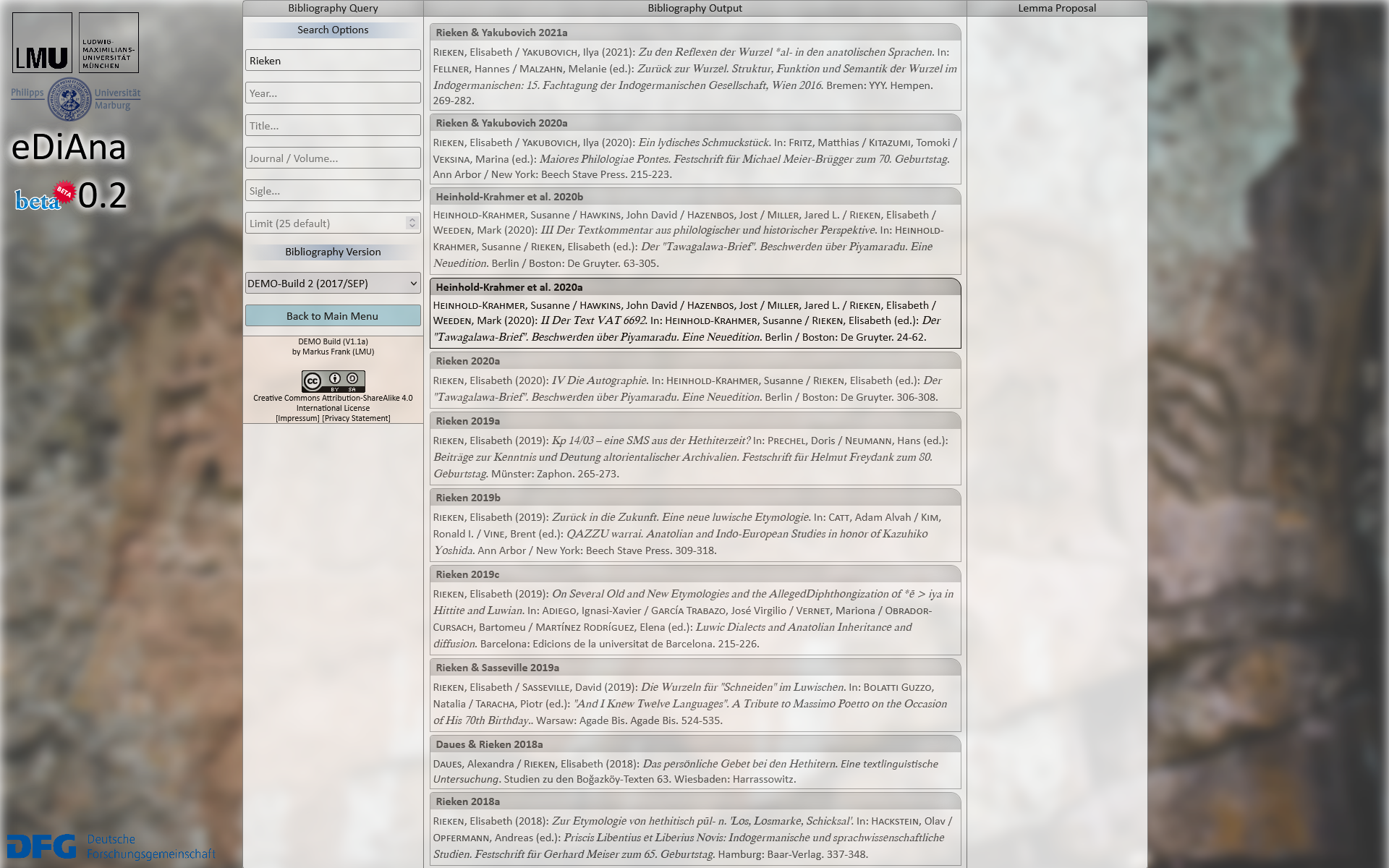
2015The beta, built by hand
Research Software Engineering: Dr. Markus Frank
The server ran PHP and MySQL; in the browser jQuery served as the only auxiliary library. Everything else, the layout, the panels and the drag-and-drop behaviour alike, was written by hand. The guiding conception was not that of a web page but that of a working environment modelled on the desktop: panels that could be moved, collapsed and stacked in the manner of the windows of a desktop application, so that a query, an article and its index might be arranged side by side as the work required. The landing page took the disposition of its elements from the title screens of the computer and video games of the period.
2017The release, on Bootstrap
Research Software Engineering: Christiane Bayer, Dr. Markus Frank
The hand-built interface laboured under two disadvantages. It was not responsive and accommodated screen widths other than the one for which it had been laid out only poorly, and the construction of every element by hand proved too costly in time. Early in 2017 the project therefore moved from hand-written CSS to Bootstrap, and it is this version that stood until the present reimplementation.